Home Office Remodel
Building the Perfect Home Office: A Practical Guide to Comfort, Productivity, and Long-Term Success in Your Home Office Remodel
The rise of remote work has permanently changed how many homeowners use their homes. What was once a spare bedroom, unfinished basement, loft, or unused corner is now a dedicated workspace that may be used eight or more hours each day.
Unfortunately, many home offices are created as an afterthought. A folding table, kitchen chair, and extension cord might work temporarily, but over time poor ergonomics, inadequate lighting, clutter, and household distractions can reduce productivity and contribute to physical discomfort.
Whether you’re converting a spare bedroom, finishing a basement, or creating a dedicated office addition, careful planning can help you build a workspace that supports both professional success and personal well-being.
Start with Location Selection
The foundation of a successful home office begins with choosing the right location.
Many homeowners focus on furniture first, but location often has the greatest impact on productivity.
Ideal Home Office Locations Include:
- Spare bedrooms
- Finished basements
- Lofts
- Bonus rooms
- Detached garages
- Backyard office pods
- Finished attic spaces
The goal is to create a clear separation between work activities and family life.
When evaluating locations, consider:
- Household traffic patterns
- Noise levels
- Privacy requirements
- Available natural light
- Heating and cooling access
- Internet connectivity
The quieter and more private the location, the easier it becomes to focus on important tasks.
Ergonomics: Designing for Your Body
Many homeowners underestimate the physical demands of sitting at a desk for extended periods.
Poor ergonomics can contribute to:
- Neck pain
- Back pain
- Shoulder tension
- Wrist strain
- Eye fatigue
- Reduced productivity
Proper Desk Height
Most work surfaces should fall between:
28 to 30 inches high
This height works well for most adults and promotes a neutral arm position while typing.
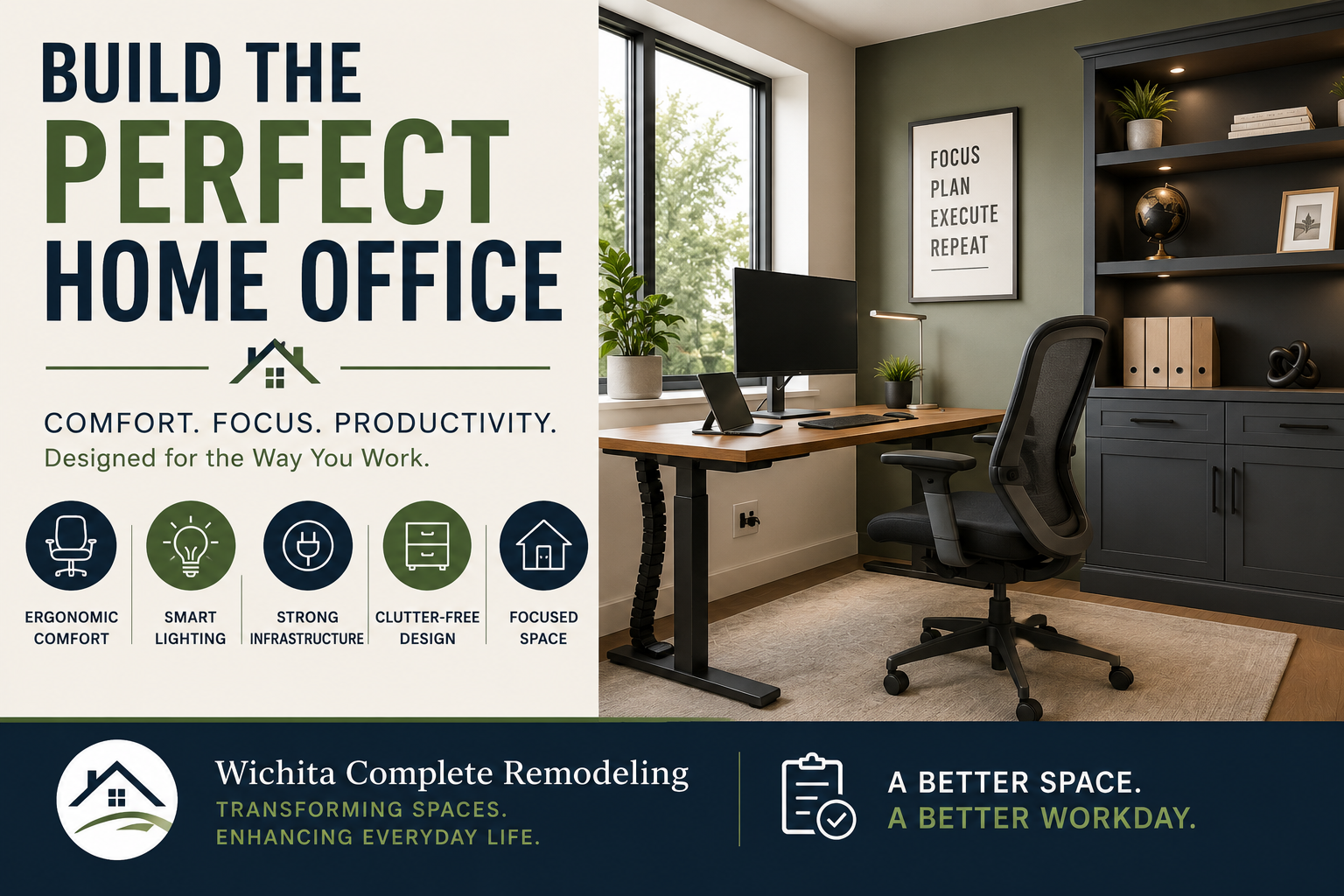
For maximum flexibility, many homeowners now choose adjustable-height desks that allow alternating between sitting and standing throughout the day.
Invest in a Quality Chair
A supportive office chair is one of the most important investments you can make.
Look for features including:
- Adjustable lumbar support
- Adjustable seat height
- Adjustable armrests
- Recline functionality
- Breathable materials
Your chair should support the natural curve of your spine while allowing your feet to rest comfortably on the floor.
Monitor Placement Matters
Computer monitors should be positioned so that:
- The top of the screen is at or slightly below eye level
- The monitor is approximately an arm’s length away
- You can view the screen without tilting your head
Proper monitor placement reduces neck strain and eye fatigue throughout the workday.
Lighting: Maximize Natural Light Without Creating Glare in Your Home Office Remodel
Lighting directly impacts comfort, concentration, and energy levels.
One of the most effective home office strategies is positioning your desk:
Perpendicular to Windows
This arrangement provides several advantages:
- Reduces monitor glare
- Maximizes natural daylight
- Improves visual comfort
- Minimizes harsh shadows
Avoid placing monitors directly in front of or directly facing windows whenever possible.
Layer Your Lighting
The best home offices use multiple lighting sources.
Ambient Lighting
Provides general illumination throughout the room.
Examples include:
- Recessed lights
- Ceiling fixtures
- Flush-mount fixtures
Task Lighting
Focused light for work activities.
Examples include:
- Desk lamps
- Under-cabinet lighting
- Adjustable reading lights
Accent Lighting
Adds visual interest and warmth.
Examples include:
- Wall sconces
- Display shelving lights
- Decorative fixtures
Combining these lighting layers creates a comfortable and professional environment.
Ventilation and Comfort Matter More Than You Think
A poorly ventilated office can quickly become uncomfortable and distracting.
Whether you’re building in a basement or spare bedroom, consider:
- Air circulation
- Humidity control
- Insulation quality
- HVAC access
Basements may require additional dehumidification, while upper-level offices may benefit from zoning controls or supplemental cooling.
Maintaining a comfortable microclimate improves concentration and overall work performance.
Infrastructure: Plan for Today’s Needs and Tomorrow’s Technology
Many homeowners regret not installing additional electrical and data connections during construction.
Future-proofing your office now can save significant expense later.
Electrical Planning
Modern offices often require power for:
- Multiple monitors
- Computers
- Printers
- Charging stations
- Lighting
- Audio equipment
Consider installing:
- Additional outlets
- Surge protection
- Dedicated circuits for high-demand equipment
Dedicated circuits help prevent overloads and provide more reliable power.
Data Connectivity
Wireless internet is convenient, but hardwired connections often provide greater speed and reliability.
Installing CAT6 cabling allows:
- Faster internet speeds
- More reliable video conferencing
- Improved network security
- Future technology upgrades
For homeowners who rely heavily on video calls and cloud-based software, hardwired connections can significantly improve performance.
Cable Management Creates a Cleaner Workspace
Nothing makes a workspace feel more cluttered than visible cables.
Incorporating cable management during construction creates a cleaner, more professional environment.
Popular solutions include:
- In-wall cable routing
- Wire raceways
- Under-desk cable trays
- Floor outlets
- Built-in charging stations
A clutter-free workspace often contributes to clearer thinking and improved productivity.
Storage and Organization
An organized office reduces distractions and helps maintain focus.
Wall-Mounted Storage
Consider:
- Floating shelves
- Filing systems
- Whiteboards
- Pegboards
- Cabinet systems
Vertical storage maximizes usable floor space while keeping frequently used items within reach.
Hidden Storage Solutions
Custom cabinetry can conceal:
- Printers
- Networking equipment
- Office supplies
- Shredders
- Filing systems
Reducing visual clutter creates a calmer work environment.
Establish Clear Work-Life Boundaries
One of the biggest challenges of remote work is separating work time from personal time.
Design can help establish those boundaries.
Features that reinforce separation include:
- Doors that close
- Sound insulation
- Dedicated entrances
- Defined office zones
- Separate lighting scenes
A dedicated workspace helps signal the beginning and end of the workday, improving both productivity and work-life balance.
Building Codes and Structural Considerations
If your home office project involves construction, it’s important to verify compliance with local building codes.
Projects may require permits for:
- Electrical work
- HVAC modifications
- Structural changes
- New windows
- Basement finishing
- Garage conversions
Always consult qualified professionals before making structural modifications.
Basement Office vs. Spare Bedroom Office
Both options offer unique advantages.
Basement Office Benefits
- Greater privacy
- Separation from household activity
- Easier sound control
- Opportunity for larger workspaces
Spare Bedroom Benefits
- More natural light
- Easier HVAC integration
- Lower construction costs
- Faster project completion
The best choice depends on your home’s layout, your work requirements, and your long-term goals.
Final Thoughts
A well-designed home office is more than a desk and chair. It is an environment intentionally created to support productivity, comfort, health, and long-term success.
By focusing on ergonomics, lighting, ventilation, infrastructure, organization, and thoughtful space planning, homeowners can create workspaces that improve both professional performance and quality of life.
At Wichita Complete Remodeling, we help homeowners evaluate remodeling options, understand project costs, and connect with qualified remodeling professionals who can transform underutilized spaces into productive, comfortable home offices designed for today’s modern lifestyle.
Are you ready to start your remodeling project?
If you’d like help connecting with a qualified remodeling professional, request a free, no-obligation estimate.